It asks the devices
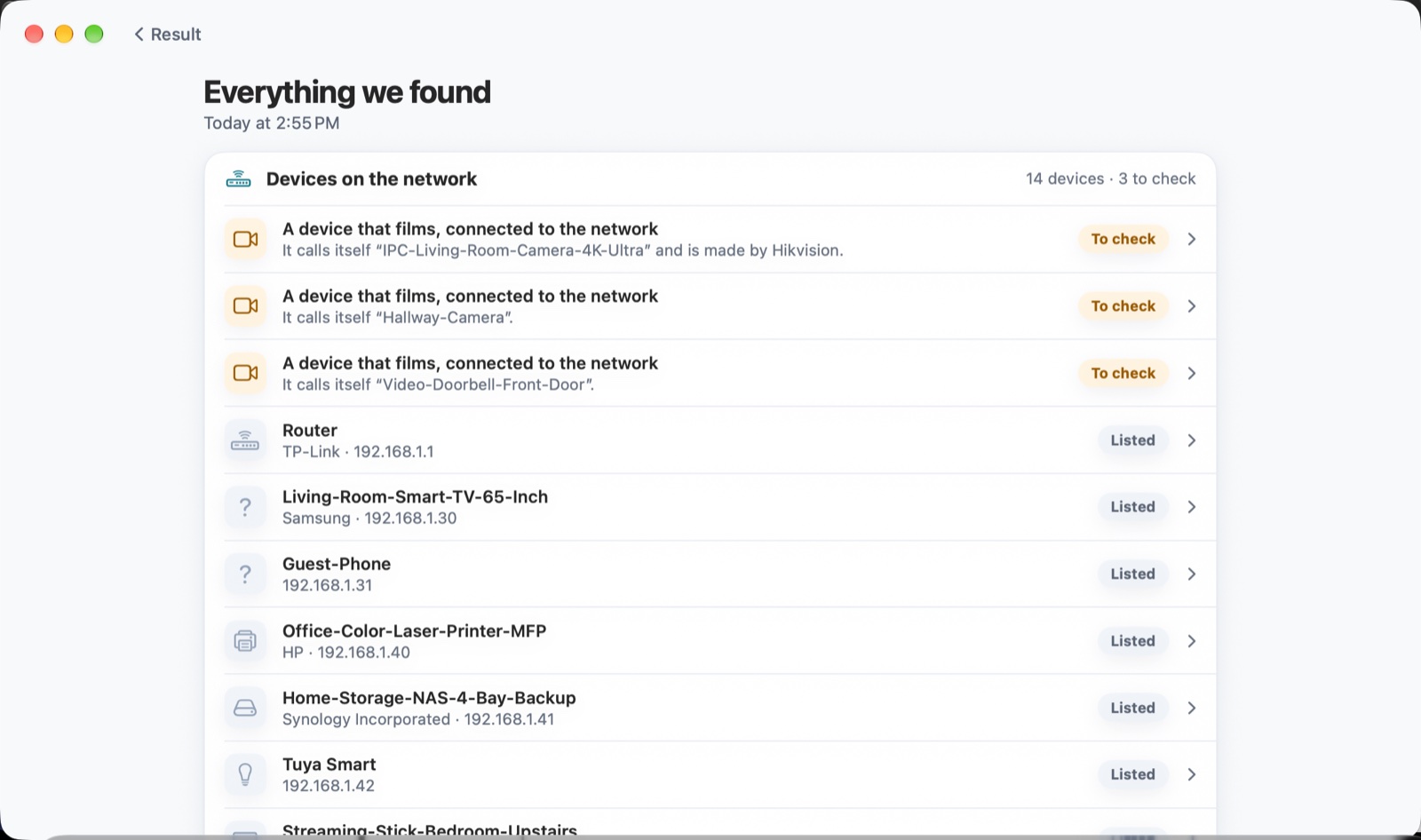
Sweepr talks to what is on the Wi-Fi in the languages cameras speak, like video servers, Bonjour and device fingerprints, instead of guessing from the phone's sensors.

Look for hidden cameras · Multiplatform · iPhone · Android · Mac · Windows
Sweepr checks the Wi-Fi of the place you're staying, from your phone or your computer. Phones also look for lenses and infrared; computers also list the Wi-Fi networks and Bluetooth devices around. Nothing leaves your device unless you share it.
Why Sweepr is different
Many apps of this kind read a sensor or show a score. Sweepr asks the devices themselves, explains every result and says what it could not check.
Sweepr talks to what is on the Wi-Fi in the languages cameras speak, like video servers, Bonjour and device fingerprints, instead of guessing from the phone's sensors.
Each device shows why it is listed, what is not known and what you can do. No black-box score.
A check that could not run says “Not run” and why. When nothing is raised, Sweepr says “Nothing flagged”, never that a room is camera-free.
Infrared, for night cameras whose infrared is on, and an on-device lens recognizer on phones; the Wi-Fi networks some cameras make themselves, on Android, Mac and Windows; Bluetooth on Mac and Windows.
No analytics or error reporting. Reports stay on your device and leave it only when you share them.
On the network it only reads: no passwords, no video streams. It does not scan very large networks, like a hotel's, full of other people.
Five checks
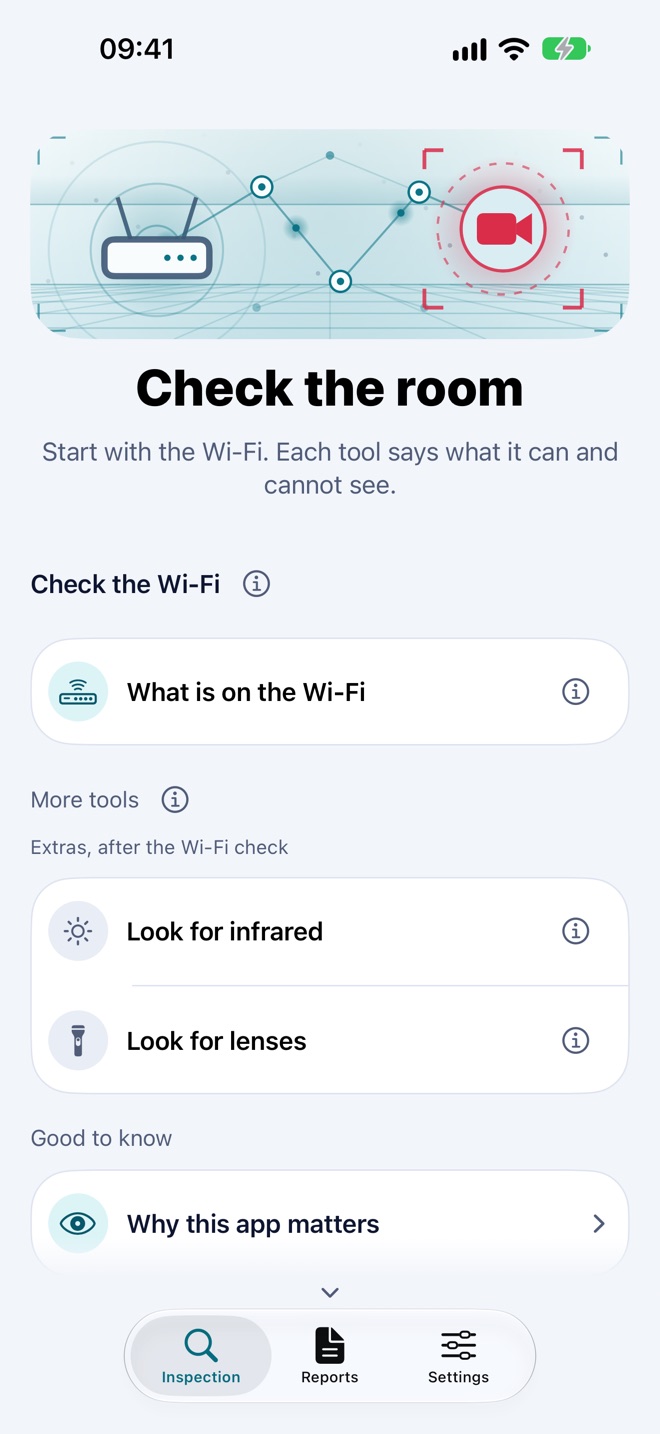
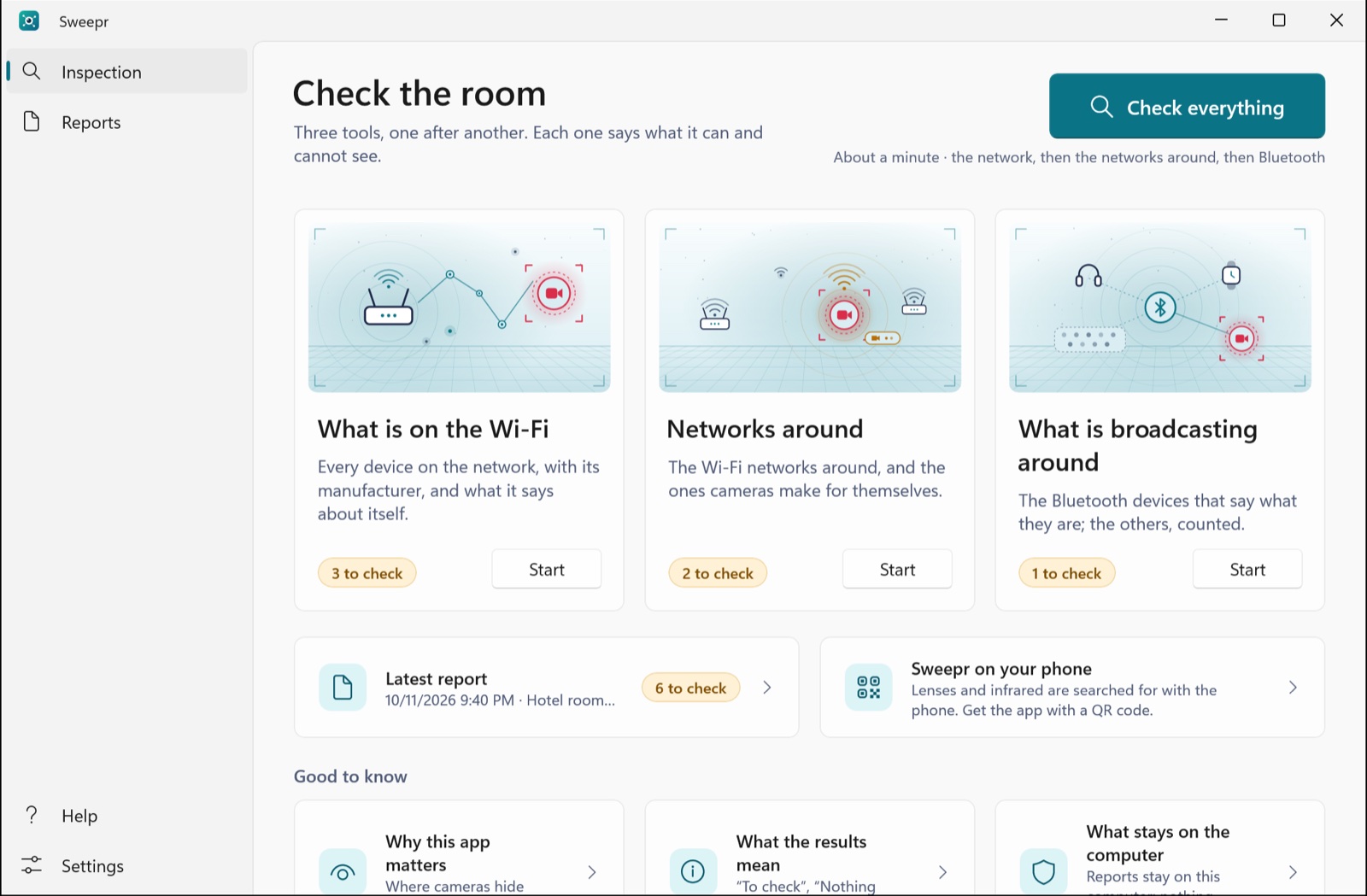
Start with the Wi-Fi. Each check tells you what it found, why, and what it could not check. There is no overall score to trust blindly. Which ones you get depends on your device.
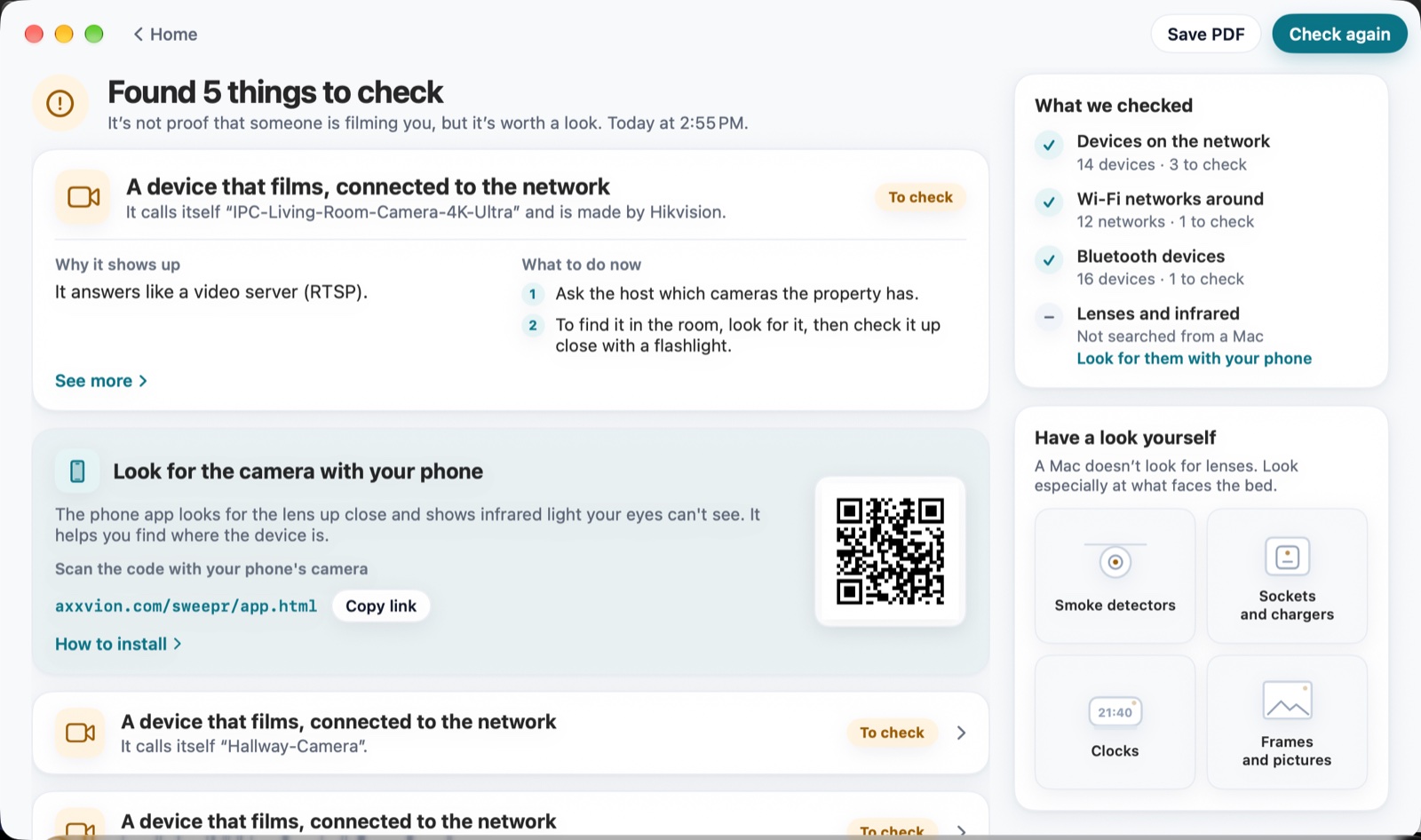
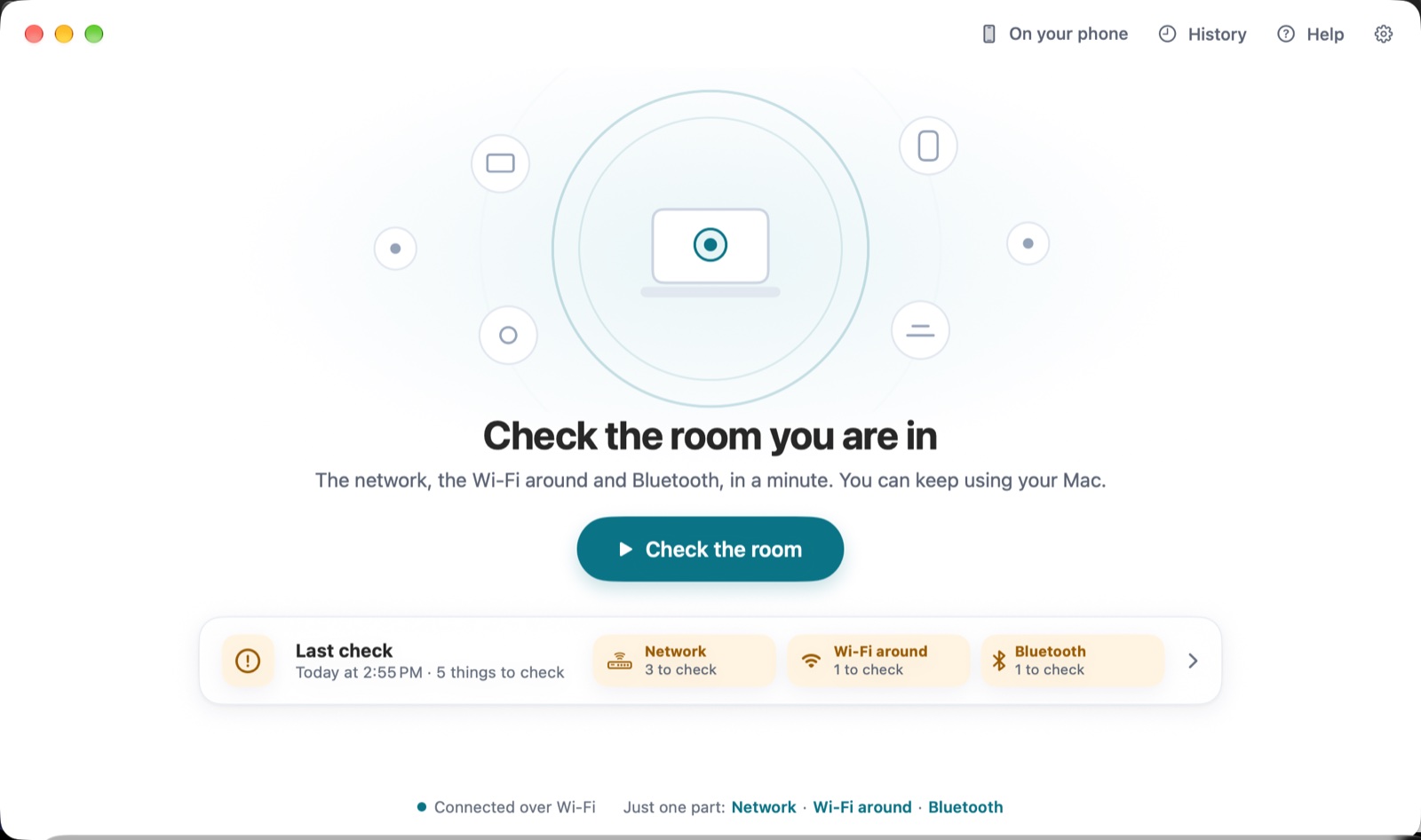
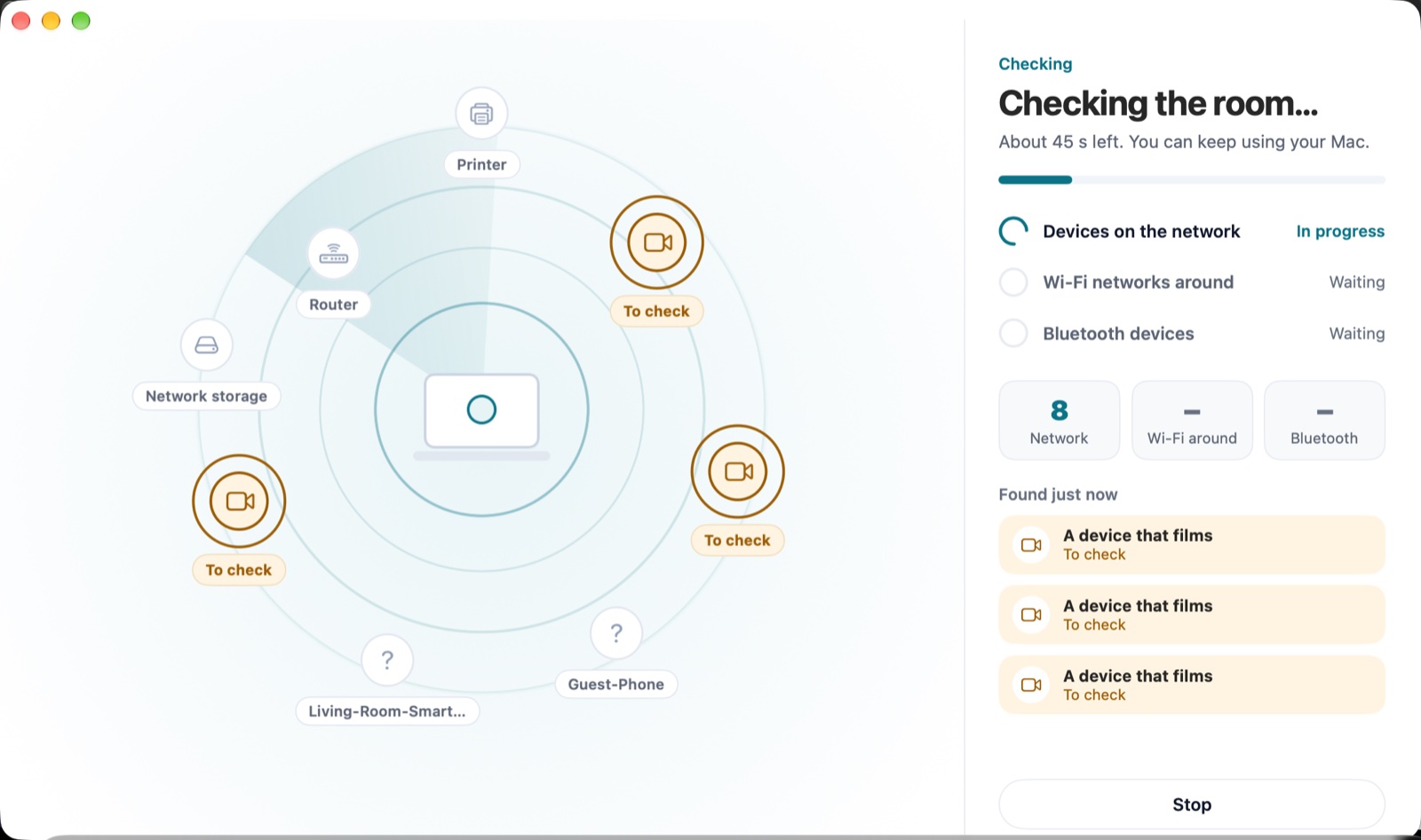
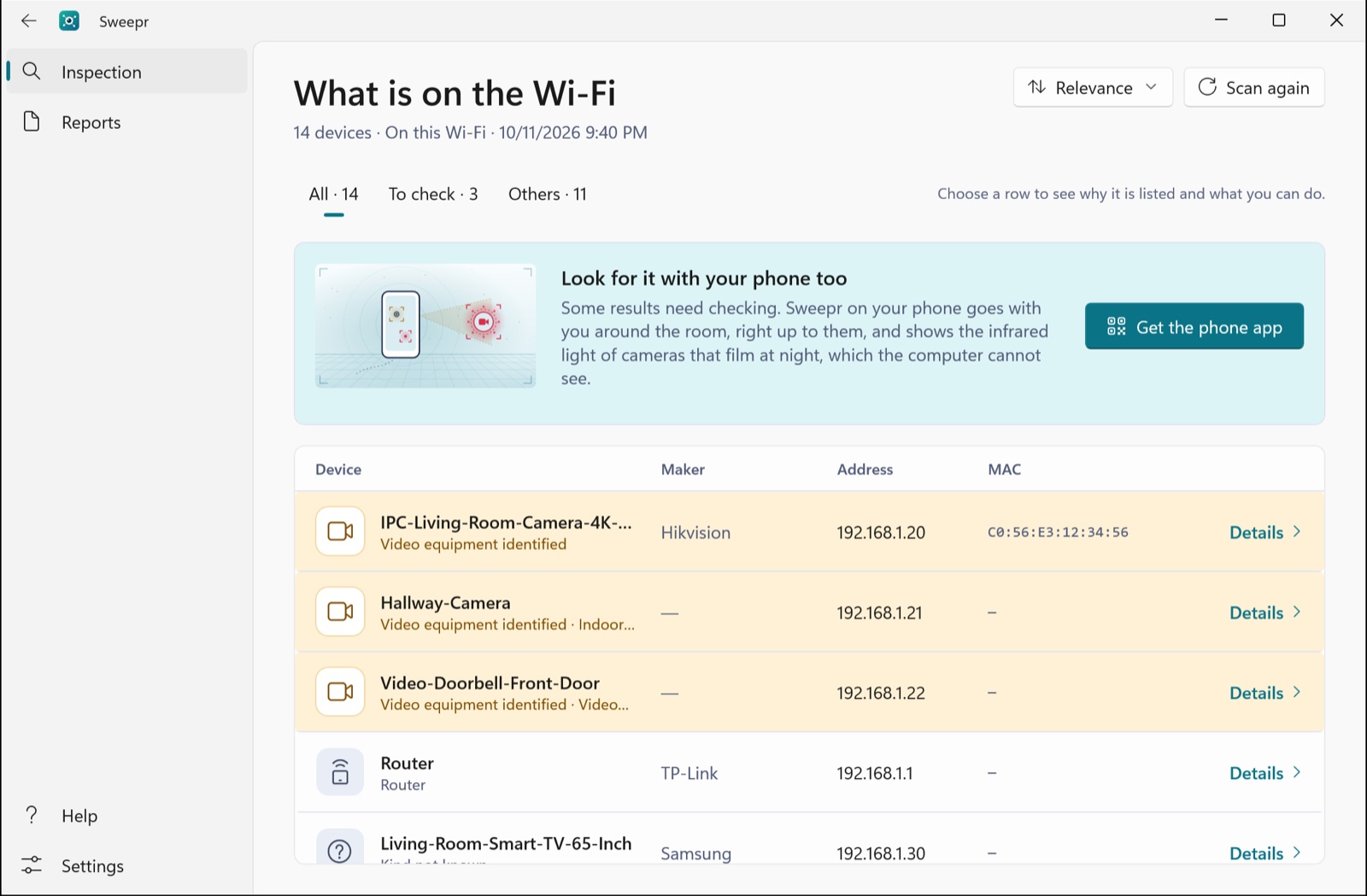
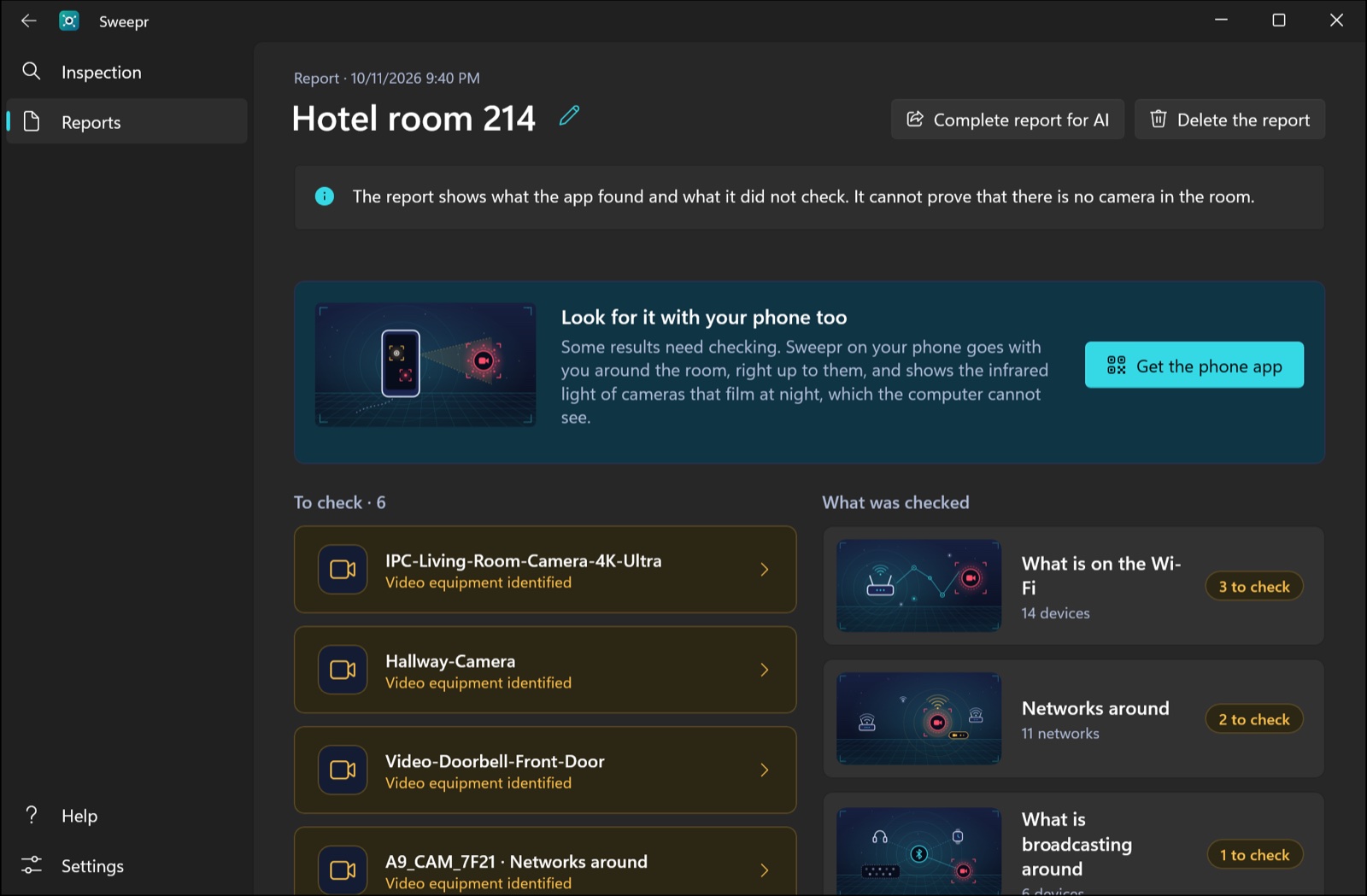
Lists the devices that answer on the Wi-Fi of your stay and puts first the ones that answer like video equipment, with the reason for each.
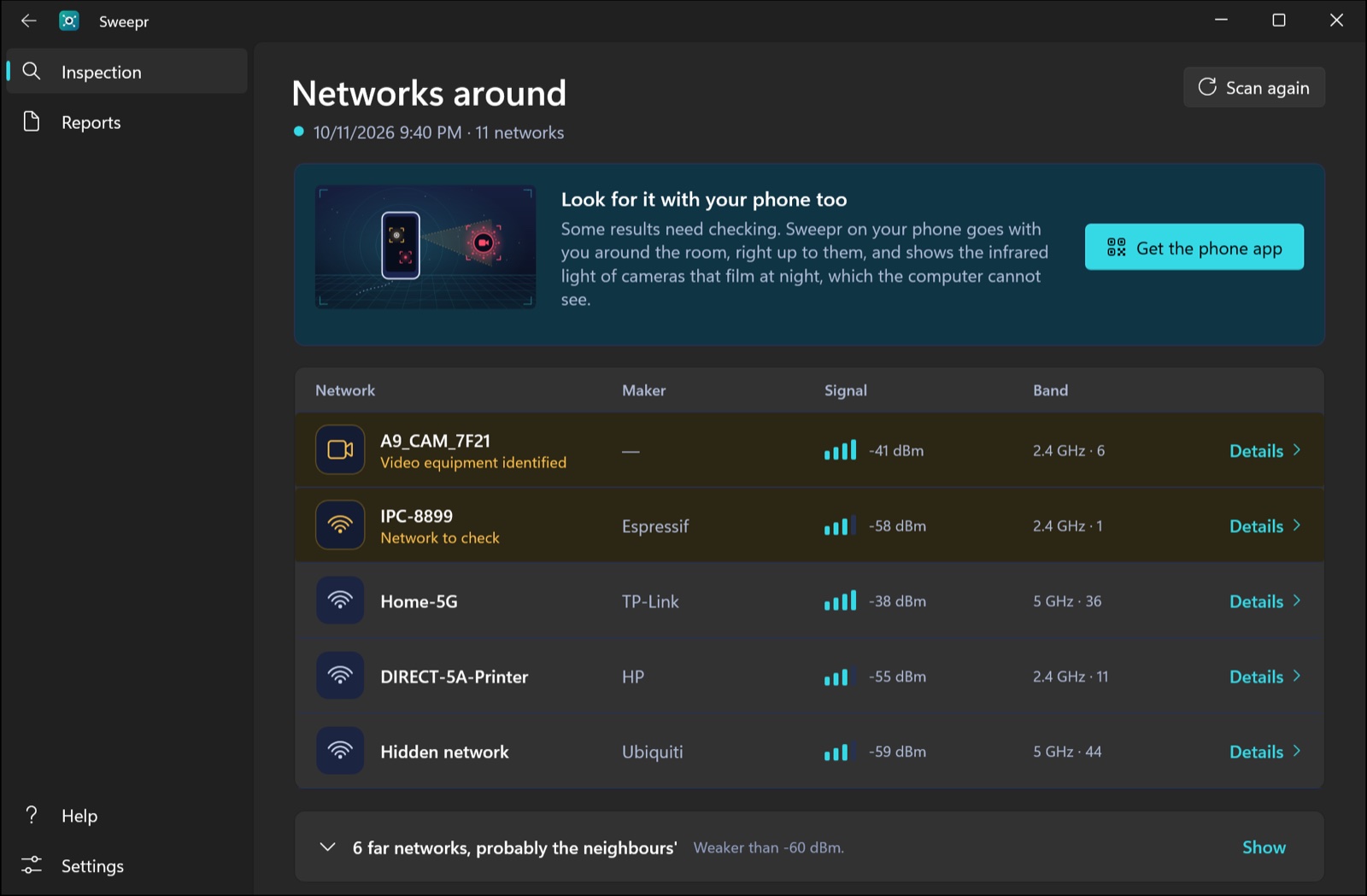
Some cameras make their own Wi-Fi so the owner can collect the recordings. Sweepr lists the networks your device can hear, camera-like names first, and helps you walk towards the signal.
Many devices broadcast over Bluetooth, and a camera can too. Sweepr lists the ones that say what they are; one that calls itself a camera goes first, with the reason.
Cameras that see in the dark light the room with infrared. Many phone cameras can show it. Switch the light off and Sweepr points out light that appears only in the dark. A night camera shows up only while its infrared is on, and remote controls give off infrared too.
Up close, a recognizer that runs only on your phone frames what looks like a camera lens: a small, round, dark hole with glass inside. It can also frame things that only look like a lens, and miss a real one, so you look for yourself.
Multiplatform
Sweepr is on iPhone, Android and Windows today, and is coming soon to Mac. Each version does the checks its device can: looking for lenses and infrared needs a phone's camera and flashlight, and Bluetooth is checked from the computer.
| Check | iPhone | Android | MacComing soon | Windows |
|---|---|---|---|---|
| What is on the Wi-Fi | Yes | Yes | Yes | Yes |
| Networks around | No | Yes | Yes | Yes |
| What is broadcasting (Bluetooth) | No | No | Yes | Yes |
| Look for infrared | Yes | Yes | No | No |
| Look for lenses | Yes | Yes | No | No |
| Save or share a report | PDF, AI text | PDF, AI text | AI text |
Mac: Apple silicon with macOS 27. Windows: Windows 11.
A five-minute routine
The Wi-Fi is the quickest place to start: many hidden cameras send their video over the network of the place you stay in. The camera tools then help with what is not connected.
Where to look first
A lens the size of a pinhead fits in everyday objects. These are the places Sweepr's lens guide walks you through.
Honest by design
When nothing is raised, Sweepr says “Nothing flagged” and lists what it did not check. It never claims a room is camera-free.
Privacy
Sweepr has no analytics and no error reporting. It sends nothing to us or to anyone else.
A report leaves your device only if you share it, as a PDF or as text for an AI assistant you choose.
Frames are analysed while a check runs. They are never saved and never sent.
Kept on your device and out of backups, encrypted on phones and Windows. Deleting the app deletes them.
Sweepr checks which common ports answer and asks devices what they are. No passwords, no video streams.
Why it matters
Bitsight, June 2025
security cameras found exposed online worldwide, about 14,000 of them in the US. On dark web forums, people share ways to find such cameras, and some sell access.
CNN, July 2024
Airbnb support tickets about hidden cameras and other recording devices from 2013 to 2023, a figure given under oath. Airbnb says one complaint can open several tickets.
Vivint survey, May 2024
holiday renters said they had come across a hidden camera. Three in four said they check for hidden devices when they arrive.
Sources: Bitsight research, June 2025. CNN investigation, July 2024. Vivint survey of 1,000 Americans, May 2024. Survey answers are what people reported, not inspections.
Questions
No app can. Sweepr shows what it found and what it could not check. When nothing is raised, it says “Nothing flagged”, which is not the same as “no camera here”. Use the camera tools and your own eyes too.
Many hidden cameras send their video over Wi-Fi, so they are connected to a network. Sweepr looks only at the network your phone is connected to, so join the Wi-Fi of the place you are staying in first.
Very large networks, like a hotel's, have many other people on them. For legal reasons Sweepr does not scan networks like these and tells you why. Look for infrared and Look for lenses still work.
Android gives the list of nearby Wi-Fi networks only to apps with the location permission. Sweepr does not read or keep your position. Choose “Precise”: with “Approximate”, Android does not give the list and this check cannot run.
With a VPN on, the phone may not let Sweepr reach the devices in the room, which would make the room look empty. Add Sweepr to the VPN's excluded apps, or turn the VPN off while you check.
iPhone with iOS 27, Android phones with Android 16 or 17 and PCs with Windows 11 today. Sweepr for Mac (Apple silicon, macOS 27) is coming soon. Networks around is not available on iPhone, because iOS does not let apps list nearby networks.